Get moving.
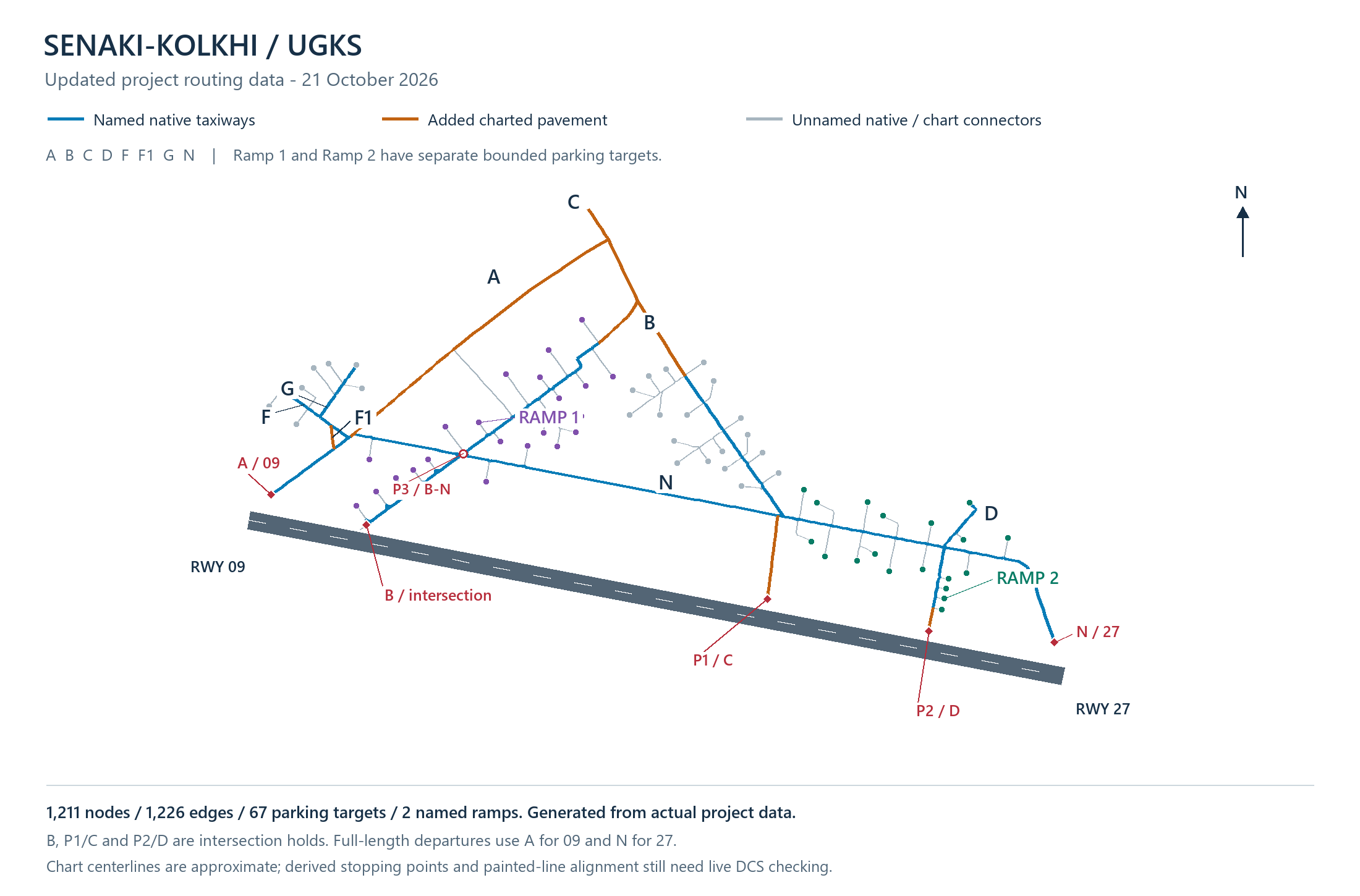
Work through taxi requests, instructions and readbacks before departure. Use the current frequency guide and the airfield routing supported by your build.
 ATLASAI MISSION COMPANION
VOICE-DRIVEN AIR TRAFFIC CONTROL
Talk to Ground, Tower and Approach with ATLAS, the free AI mission companion for DCS World. Follow supported ATC workflows from your first taxi clearance to your return to the ramp.
Windows · Open beta · No ATLAS account or subscription
01 / THE COMPLETE FLIGHT
AI ATC brings radio interaction into your DCS flight. ATLAS connects supported voice workflows with the host’s DCS integration and SRS radio setup. The available procedures depend on the installed build, airfield and mission configuration.
Work through taxi requests, instructions and readbacks before departure. Use the current frequency guide and the airfield routing supported by your build.
Continue from the taxi phase to the runway and takeoff workflow. Readbacks and clearance checks remain part of the conversation.
Return through supported approach and arrival procedures. Terrain, aircraft and host setup determine which workflows are available.
Follow the landing and return-to-parking sequence. Explore the interactive schematic to see how the stages connect.
The website sequence is an illustrative schematic, not a recording of a live ATLAS session or a real-world procedure guide.
ATLAS / FLIGHT DEMONSTRATION
A departure demonstration from Radio Check, supplied by the ATLAS creator. This shows an earlier build; the current installer and supported procedures may differ. An updated demonstration is in preparation.
02 / DOWNLOADS
Get ATLAS and Radio directly from our website. The full ATLAS installer includes its local voice models. No account required.
Test27.20 · Single Windows installer · 2.93 GB · No BIN files
Download ATLAS Radio ↗Compatible Radio client · 9.7 MB · For pilot PCs
Installation, kneeboard pages, Axeman JTAC and all 82 airfields.
01 Install DCS World & SRS
02 Close ATLAS and DCS, then run ATLAS Setup
03 Install or update Radio on each pilot PC
04 Apply host integration to the correct DCS profile and restart
Existing compatible Radio installations can stay. ATLAS and Radio are separate downloads. Read the beta guide before flying.
Installation questions? Radio check ↓03 / READY FOR YOUR FIRST RADIO CHECK
Start with the current release guide. ATLAS and ATLAS Radio are separate downloads; existing compatible Radio installations can stay.
Read the installation & radio checklist ↗You need Windows, your own DCS World installation, the required terrain or aircraft licenses, SRS and a working microphone. Check the release guide for current requirements.
Close ATLAS and DCS before running the current full Windows installer. The website’s single installer includes the local voice models.
Install or update ATLAS Radio on pilot PCs. Apply the host integration to the correct DCS profile, then restart ATLAS and DCS.
Check the release’s airfield and frequency guides, confirm the host’s configuration and test your radio before flying. Start with a supported workflow and follow its readback instructions.
04 / ONE CONNECTED MISSION
ATLAS also includes supported JTAC / nine-line and carrier recovery workflows. Explore each part of the mission on the main site.
05 / RADIO CHECK
ATLAS is currently free to download and use, with no ATLAS account, subscription or paid ATLAS maps. DCS modules, terrains and any optional third-party services have their own requirements.
Coverage and behavior depend on the release, terrain, aircraft, mission and host configuration. Read the current guides before installing; do not assume universal compatibility.
The current release includes local voice models and offers local speech processing. Optional Gemini speech output requires separate setup and provider eligibility. Review the release guide before enabling cloud options.
The setup guide covers installation and radio checks. The download section includes frequency guides, pilot documentation and the kneeboard pack. Use documentation that matches your installed release.
Features and coverage evolve. Installation and host integration matter, and a schematic demonstration does not guarantee a particular mission will work. Review the current release notes and guides.
ATLAS is an independent project for DCS World. DCS World and associated marks belong to their respective owners. ATLAS is for simulation use only.
THE FREQUENCY IS YOURS.